MENU
PT | EUR

PT | EUR
-
- All Pipettes, Dispensers & Automated Liquid Handlers
- Mechanical Pipettes
- Electronic Pipettes
- Multi-Channel Pipettes
- Positive Displacement Pipettes & Dispensers
- Bottle-Top Dispensers
- Pipette Controllers
- Dispenser & Pipette Accessories
- Automated Pipetting
- Automation Consumables
- Automation Accessories
- Liquid Handler & Pipette Services
Sorry, we couldn't find anything on our website containing your search term.
Sorry, we couldn't find anything on our website containing your search term.
Website User Guide - Account Management
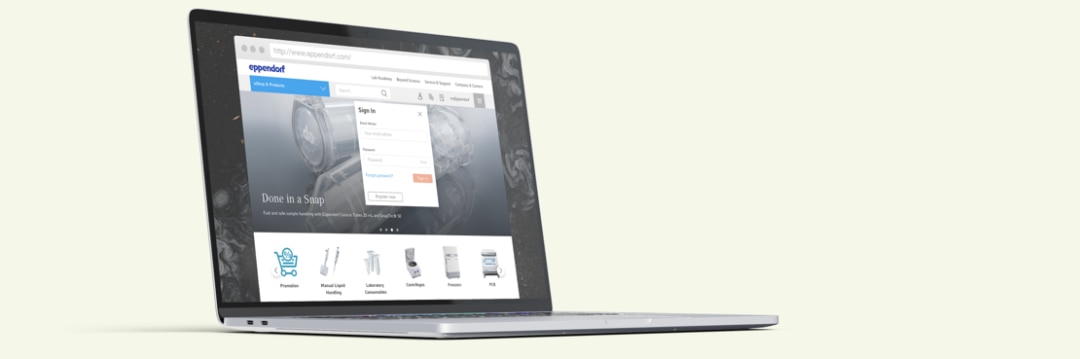
Create account
Log in
Change personal details
Change addresses
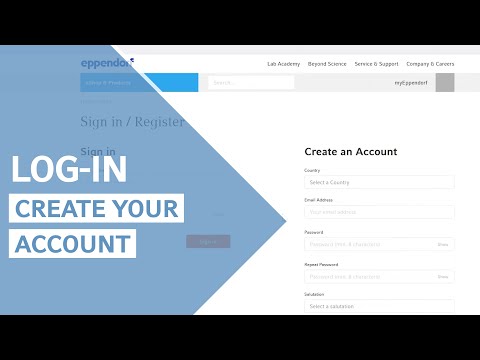
How to Create an Account
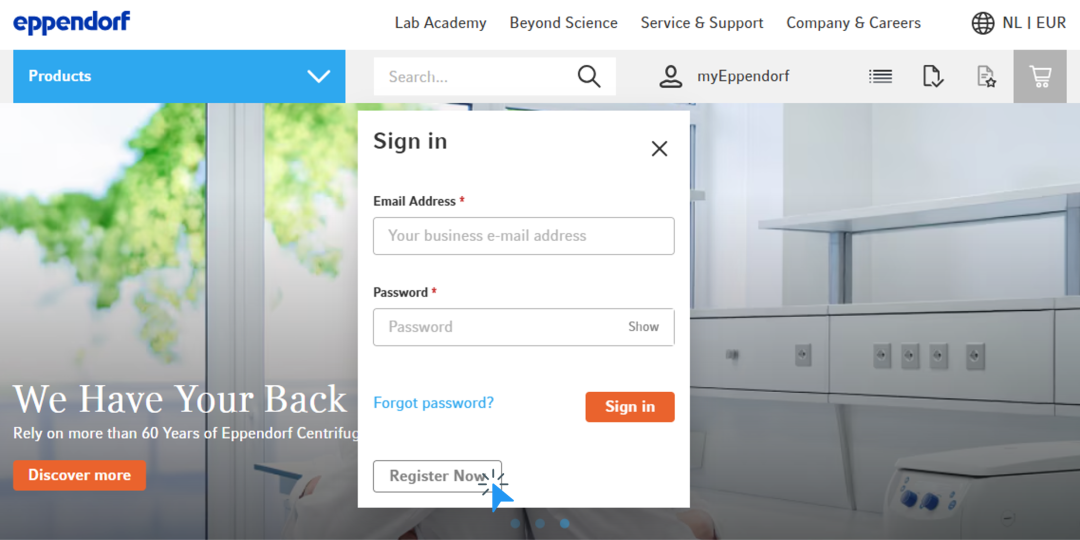
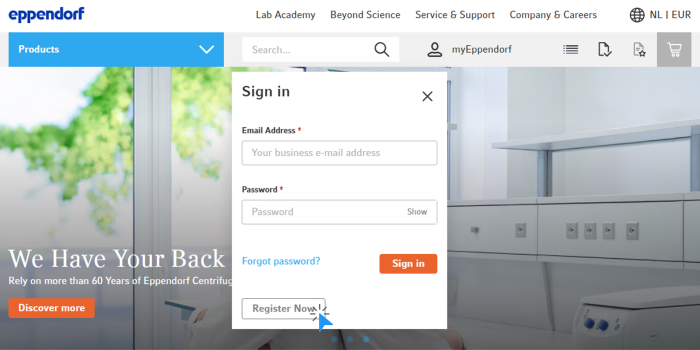
1. Click the icon in the top menu
2. Click “Register Now”
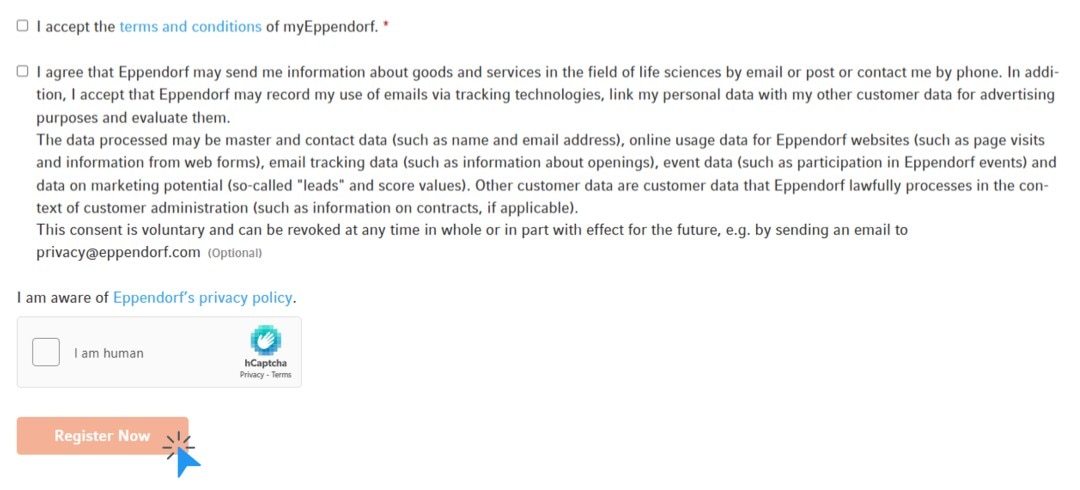
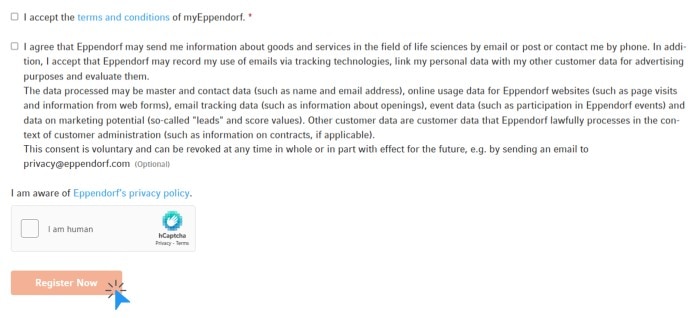
3. Fill out the form and click “Register Now”
4. Activate your new account by clicking the link in the confirmation email you received
2. Click “Register Now”
3. Fill out the form and click “Register Now”
4. Activate your new account by clicking the link in the confirmation email you received
Read more
OUR TIP:
If you can't find the confirmation email in your inbox, check your SPAM folder.
If you can't find the confirmation email in your inbox, check your SPAM folder.
Read more


Videos not loading, because cookies have been rejected. Change your
How to Log in
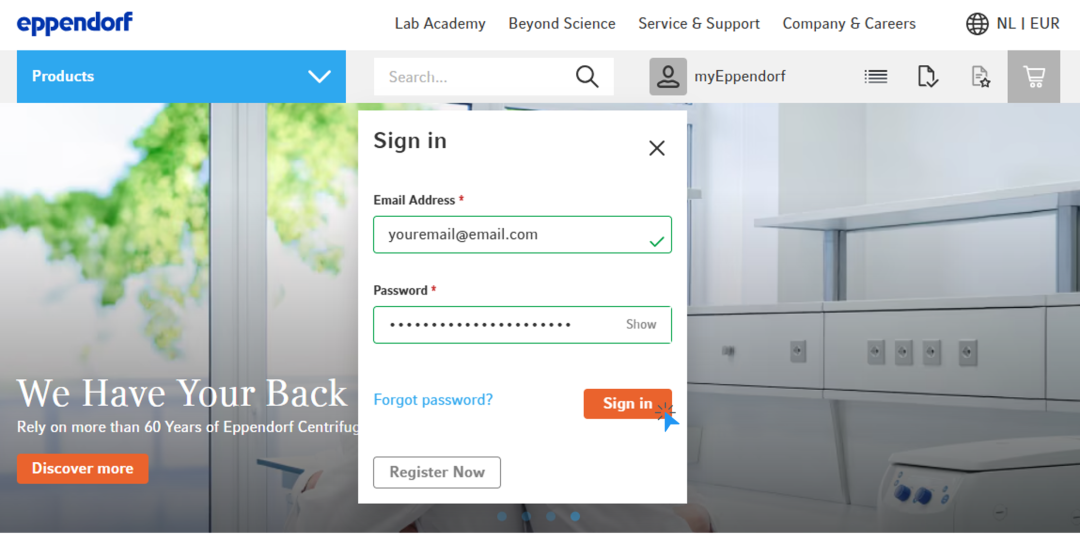
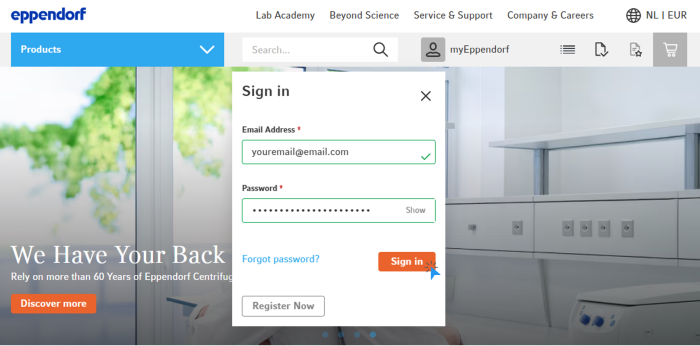
1. Click the icon at the top menu
2. Enter your email address* and your password
3. Click “Sign in“
2. Enter your email address* and your password
3. Click “Sign in“
Read more
*PLEASE NOTE:
To log in, you need your email address and a password
To log in, you need your email address and a password
Read more


How to Change Your Personal Details
1. Log in to your account
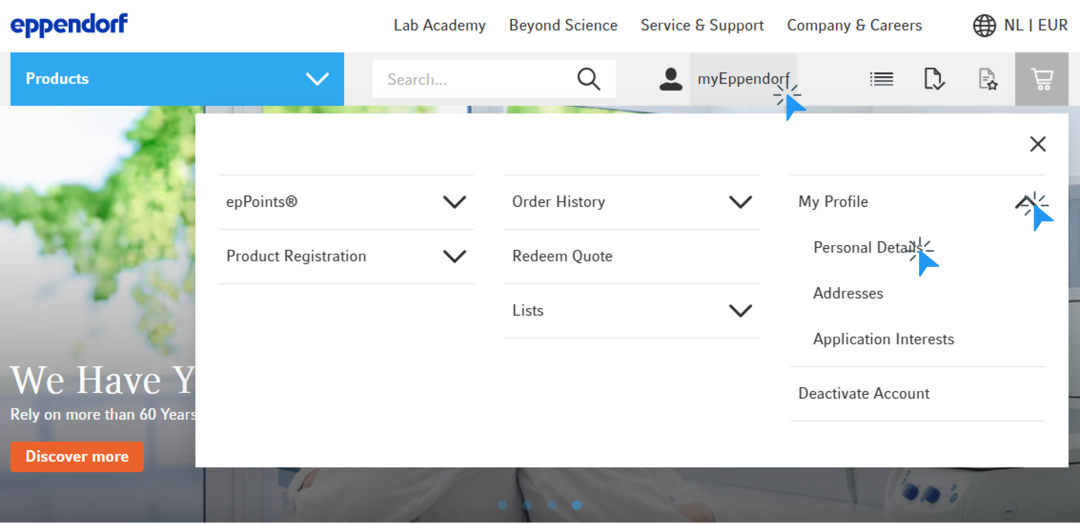
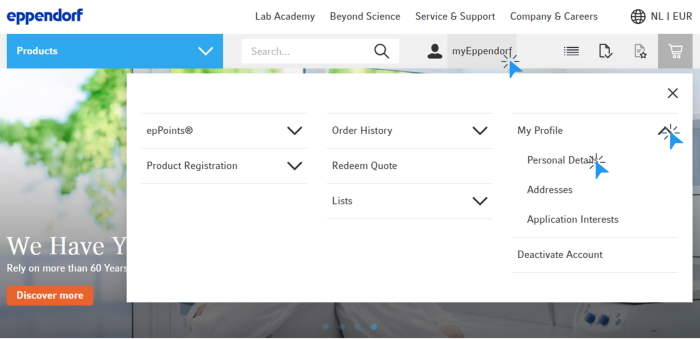
2. Click on “myEppendorf” in the top menu
3. Click on “My Profile“ and then in the submenu on “Personal Details”
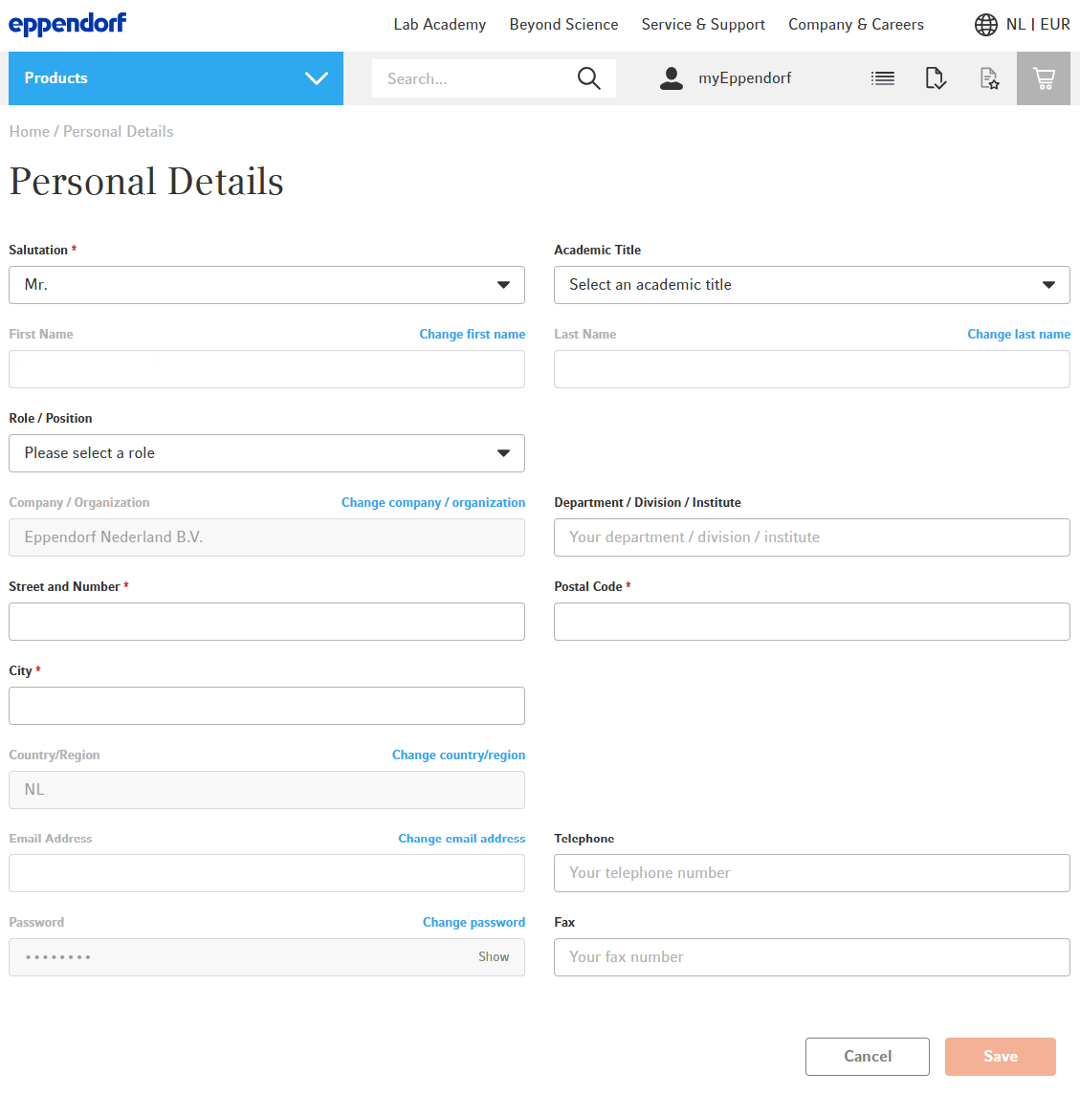
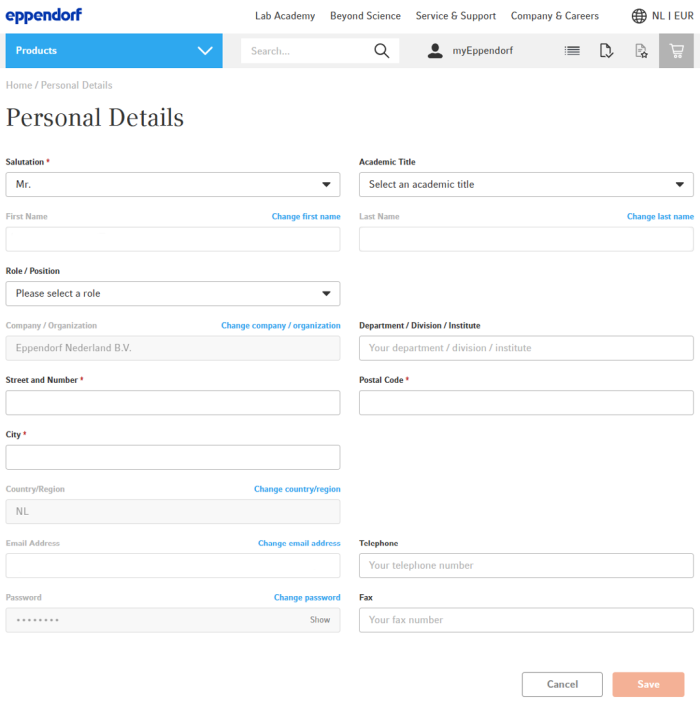
4. You will see an overview of your personal details and have the option to change them
A. Click at “Change email address“ to change your email address
B. Click at “Change password“ to change your password
2. Click on “myEppendorf” in the top menu
3. Click on “My Profile“ and then in the submenu on “Personal Details”
4. You will see an overview of your personal details and have the option to change them
A. Click at “Change email address“ to change your email address
B. Click at “Change password“ to change your password
Read more
How to Change Your Addresses
1. Log in to your account
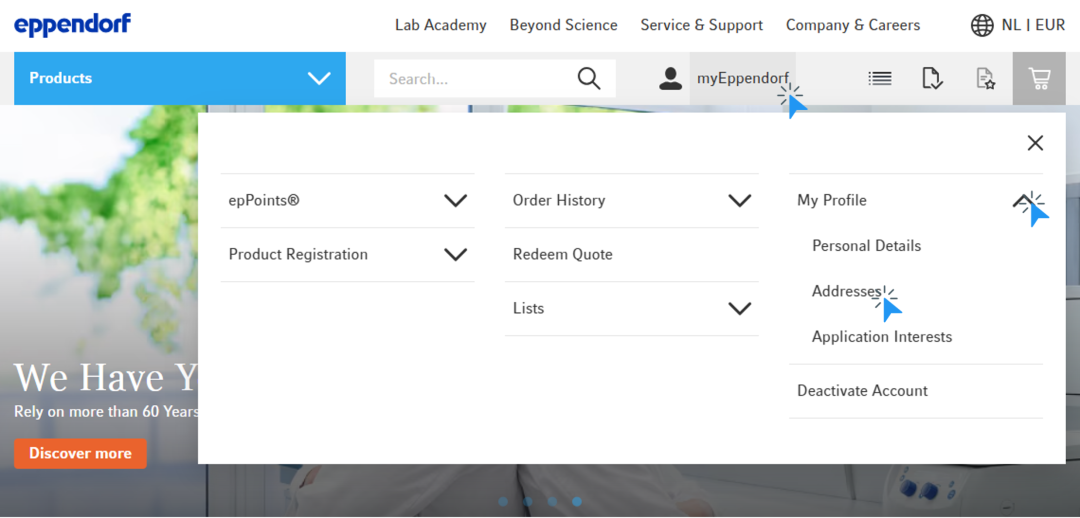
2. Click on “myEppendorf” in the top menu
3. Click on “My Profile“ and then in the submenu on “Addresses“
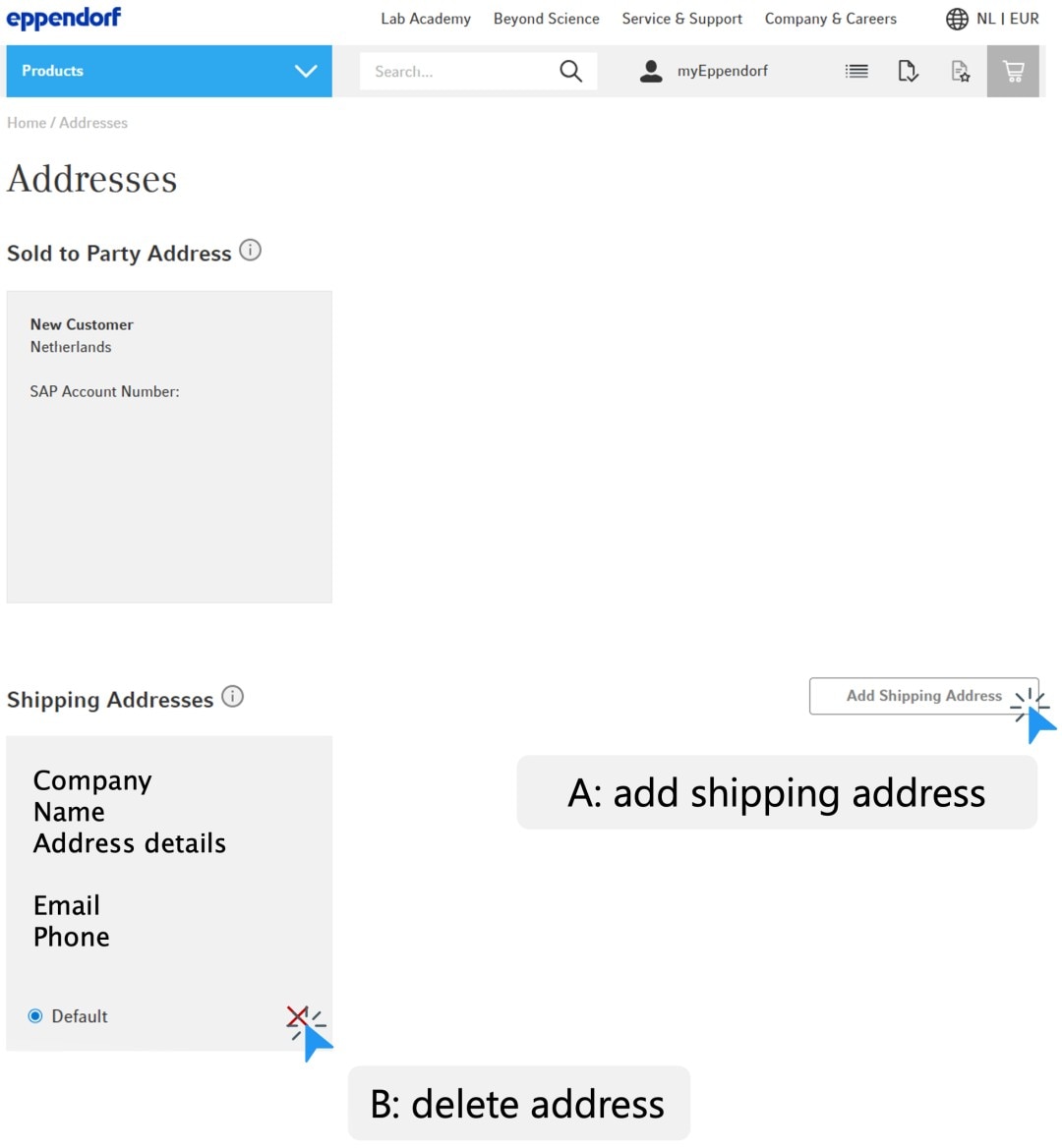
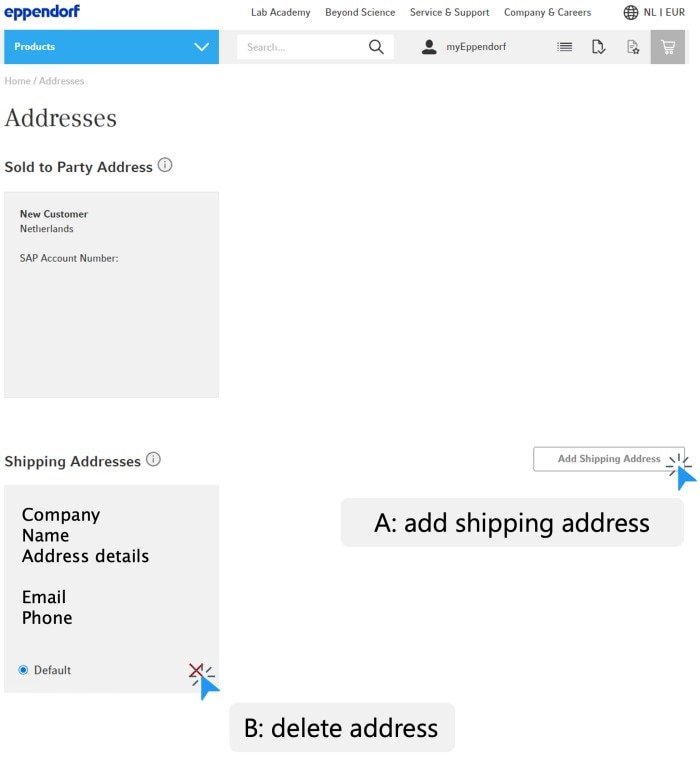
4. You will now see an overview of all your addresses
A. To add a new shipping address, click on “Add Shipping Address”
B. To delete an address, click the red “X” icon
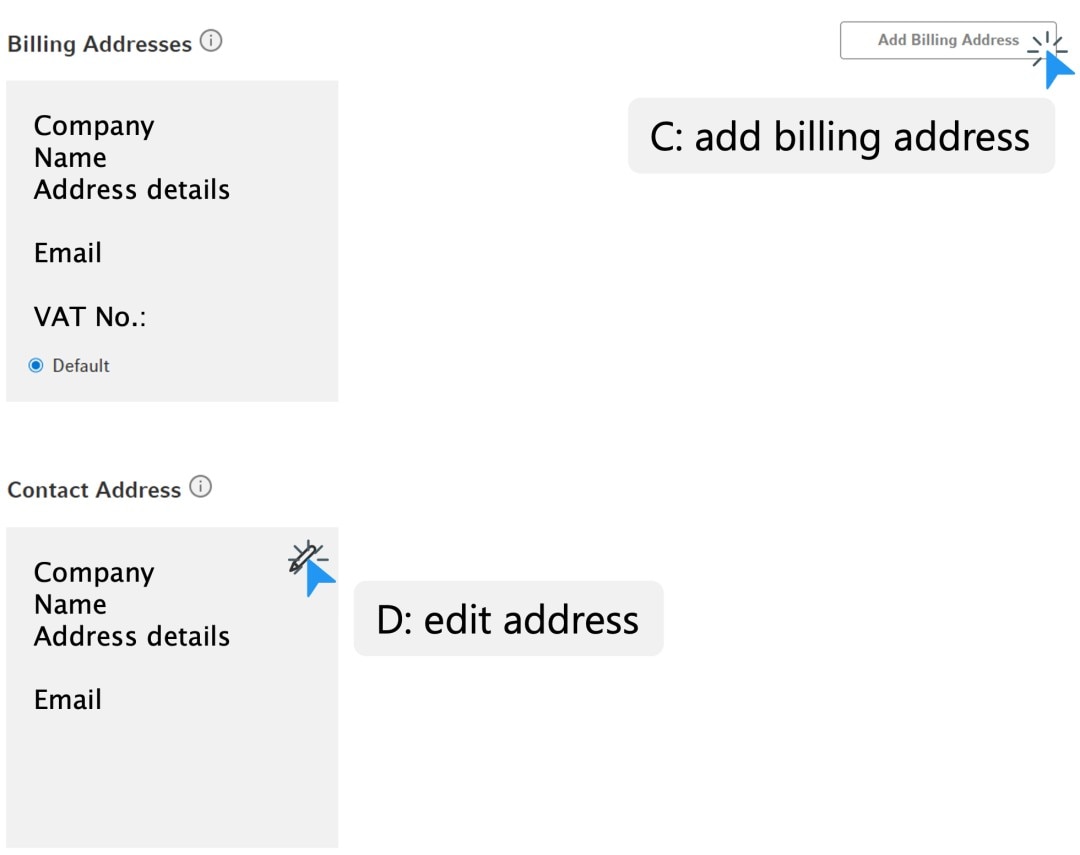
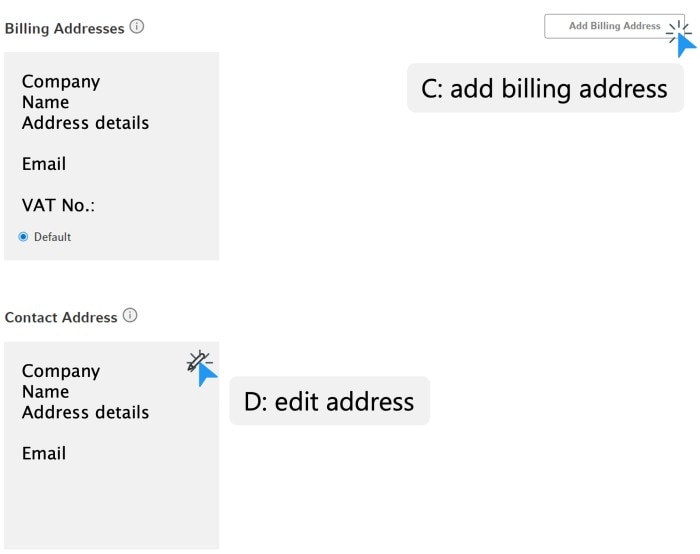
C. To add a new billing address, click on “Add Billing Address”
D. To edit an address, click the pencil icon
2. Click on “myEppendorf” in the top menu
3. Click on “My Profile“ and then in the submenu on “Addresses“
4. You will now see an overview of all your addresses
A. To add a new shipping address, click on “Add Shipping Address”
B. To delete an address, click the red “X” icon
C. To add a new billing address, click on “Add Billing Address”
D. To edit an address, click the pencil icon
Read more



* Feature may not be available in all countries
Read more